


The Transparent proxy model allows the Border Router to forward traffic on behalf of Wi-SUN nodes so that they appear as directly attached hosts on the upstream network, even though there is a routing hop between the upstream and the Wi-SUN devices.
To use this option, the Networking mode must be set to "Transparent proxy".
> config network interface wisun networking_mode transparent_proxyIn the Web UI, go to System → Configuration → Device Configuration, then navigate to Network → Interfaces → Wi-SUN → Networking mode and set the value to Use IPv6 transparent proxy.
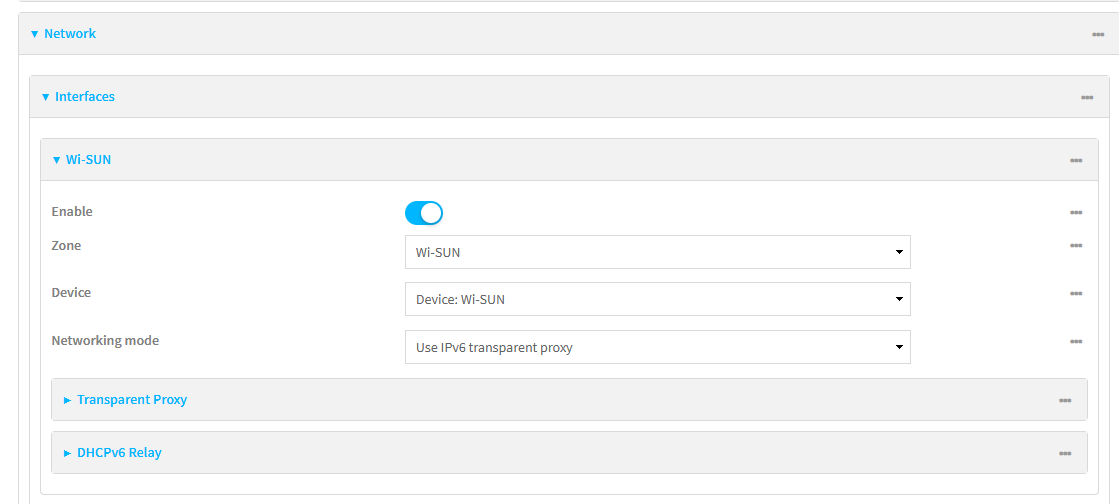
Configuration
You can configure the Transparent proxy parameters:
> config network interface wisun transparent_proxy In the Web UI, go to System → Configuration → Device Configuration, then navigate to Network → Interfaces → Wi-SUN → Transparent Proxy.
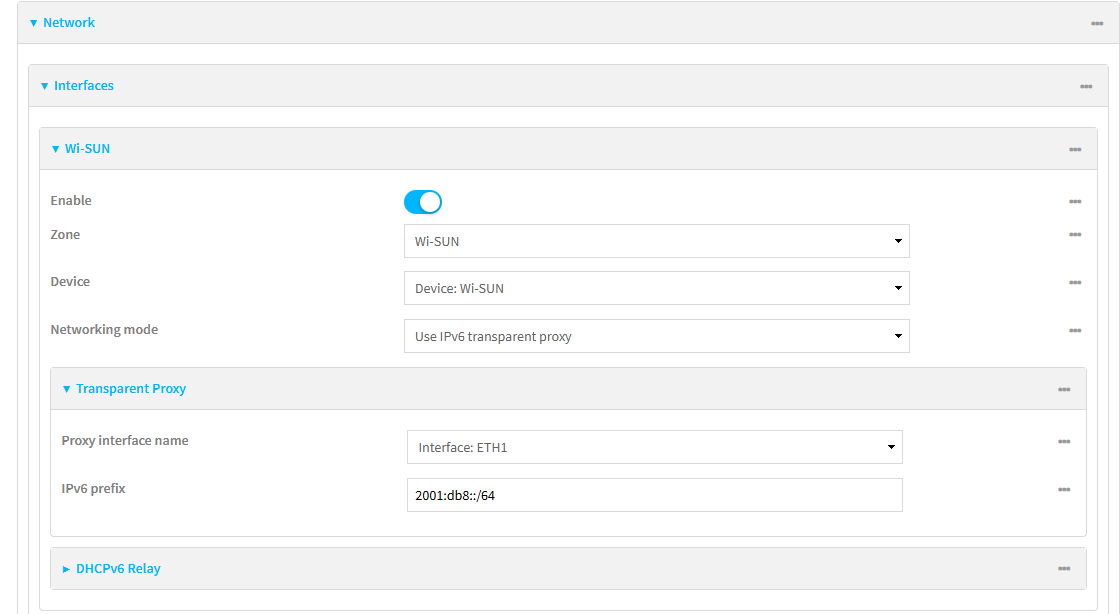
| The Transparent Proxy needs to be enabled as done above for the fields to be visible. |
| Field | Default Value | Description |
|---|---|---|
interface |
'ETH1' |
The upstream interface used to bridge all Wi-SUN network traffic. Forwards DHCPv6 relay messages. Typically an Ethernet or WAN interface. |
prefix |
'required_value' |
The IPv6 prefix of the Proxy interface name selected above. This prefix will be used when assigning IPv6 addresses to the Wi-SUN nodes. (e.g. 2001:db8::/32) See IPv6 addressing for more information about prefix values. |
| Transparent Proxy works in tandem with Use DHCPv6 Relay. |
