


The Details tab is the default view of the XBee Network page. It summarizes the network’s identity and current state and is split into two cards.
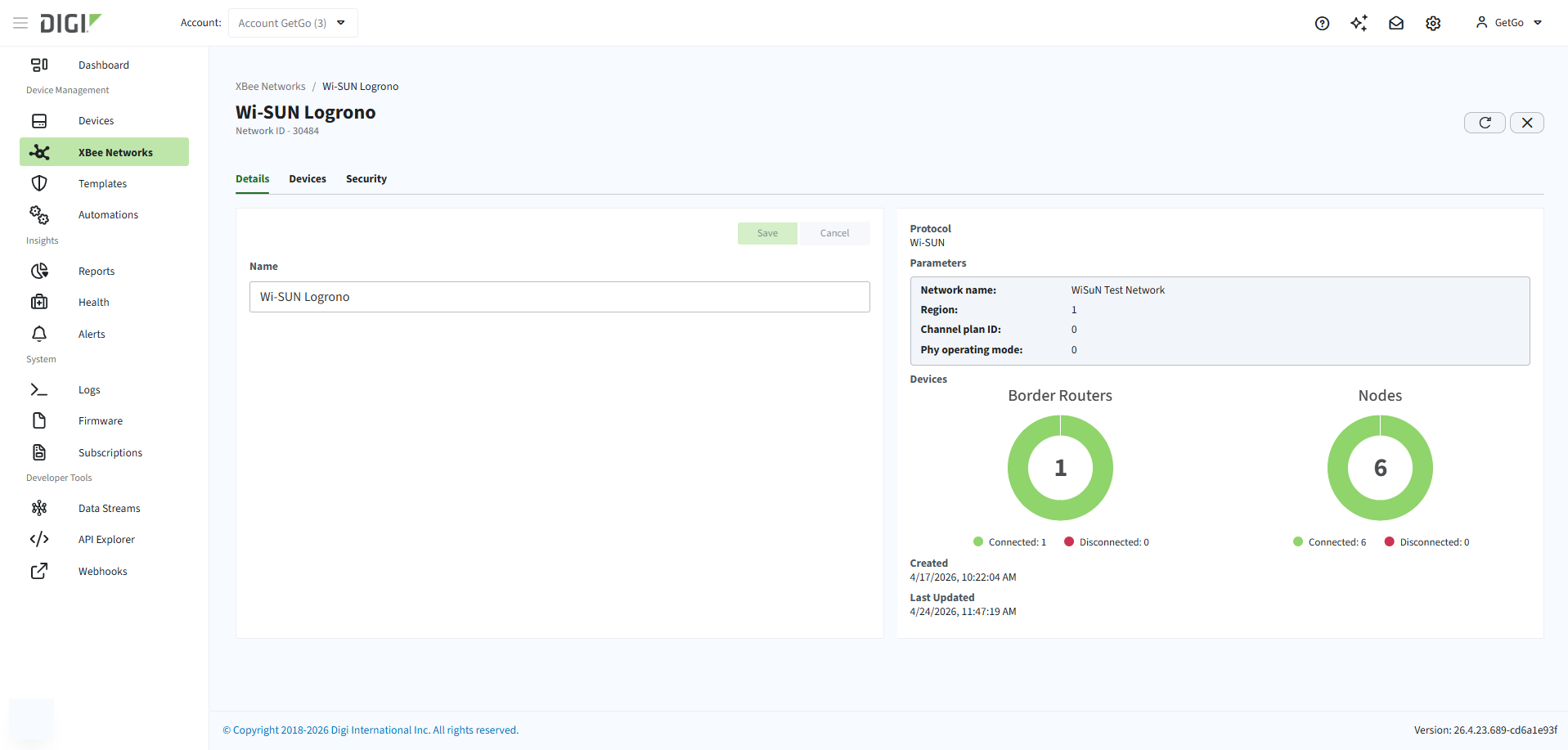
The left card contains editable parameters:
-
Name: The network name. Click Save to apply changes, or Cancel to revert.
The right card shows read-only network information:
-
Protocol: Network protocol.
-
Parameters: Protocol-specific parameters populated from the first XBee Hive for Wi-SUN added to the network. Shown as N/A until a border router is added. For Wi-SUN, the following parameters are displayed:
-
Network name
-
Channel plan ID
-
PHY mode ID
-
Authentication method
-
Network size
-
-
Devices: Two pie charts showing the count and connection status of XBee Hive for Wi-SUN border routers and XBee for Wi-SUN nodes.
-
Created: Date the network was created.
-
Last Updated: Date of the last change to the network.
Rename a network
To rename a registered network:
-
Go to XBee Networks and click the Name or ID of the network. The XBee Network page opens.
-
Select the Details tab.
-
Edit the Name field.
-
Click Save.
