


From Remote Manager, you can monitor your devices, perform management operations, and access diagnostic information. This includes the XBee for Wi-SUN nodes connected through the XBee Hive for Wi-SUN. The nodes have no direct connection to the cloud, but the border router relays operations to and from them transparently.
Toggle a node’s LED from the cloud
In this exercise, you change a digital I/O setting on an XBee for Wi-SUN node from Remote Manager. The setting controls the User LED of the XBIB-C development board the node is attached to.
To toggle the User LED from Remote Manager:
-
Open Digi Remote Manager in your default browser. You can access it directly from XBee Studio:
-
Open the Remote Management page by clicking the cloud icon in the left sidebar.
-
Click Access Remote Manager.
-
-
Log in using your account credentials. The Dashboard page appears.
-
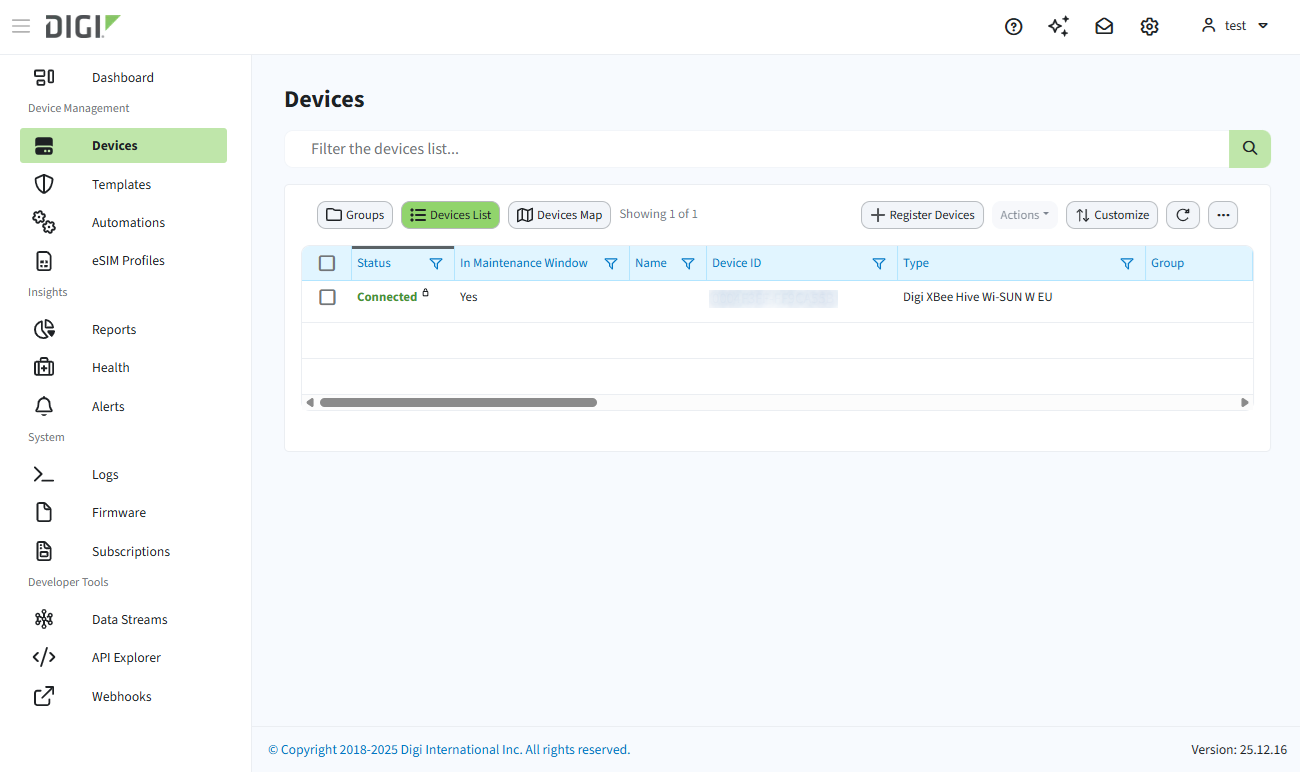
Click Devices in the left sidebar. The list of registered devices is displayed in a table.
-
Locate one of the two XBee for Wi-SUN modules included in your Wi-SUN Development Kit. The Type column shows XBee Wi-SUN for these devices.
-
Click the Device ID of the node to open its device page.
-
When the device page finishes loading, click the Settings tab.
-
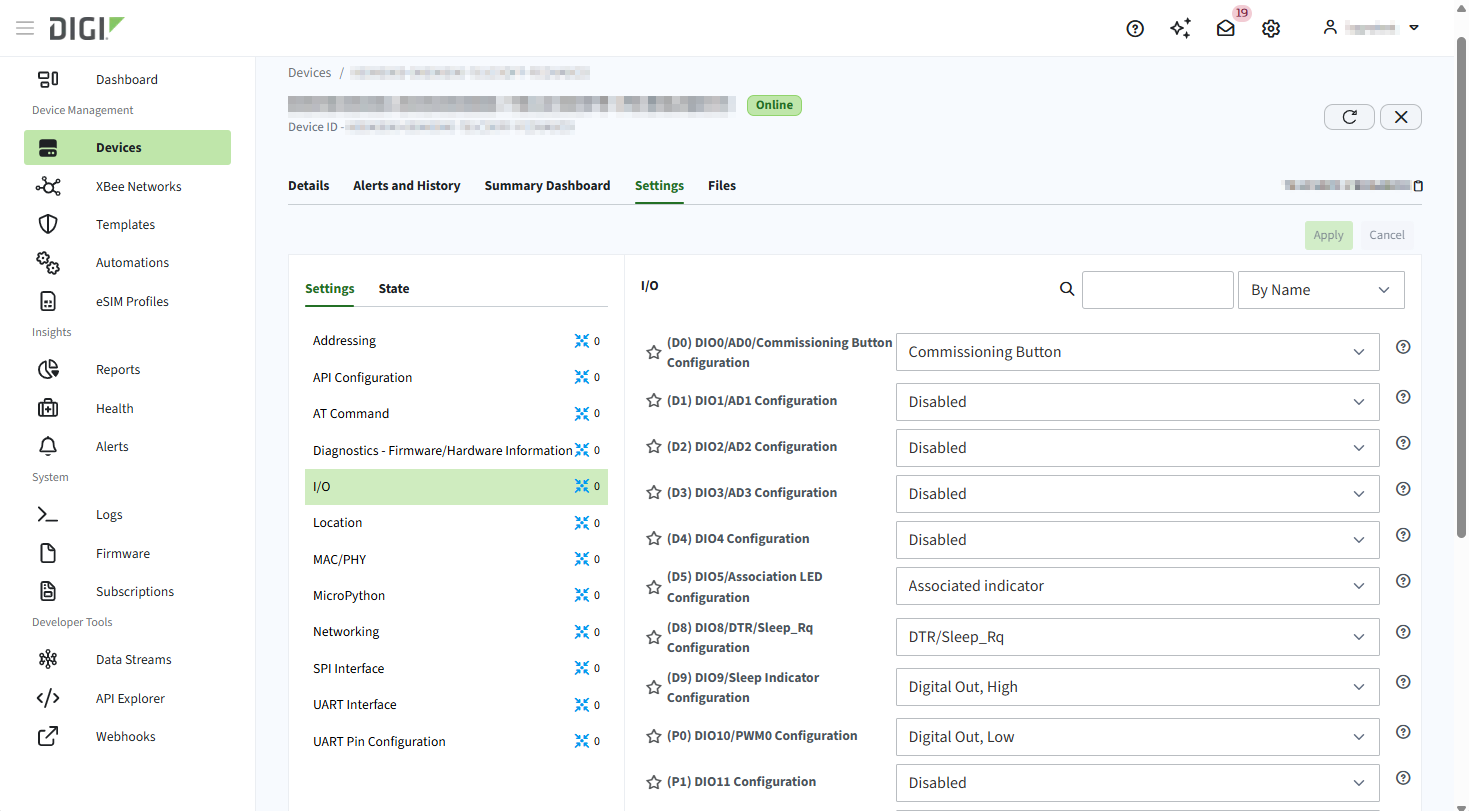
Click the I/O Settings category to display the I/O configuration of the node.
-
Locate the P0 setting. This pin controls the User LED of the XBIB-C development board the XBee for Wi-SUN is attached to.
-
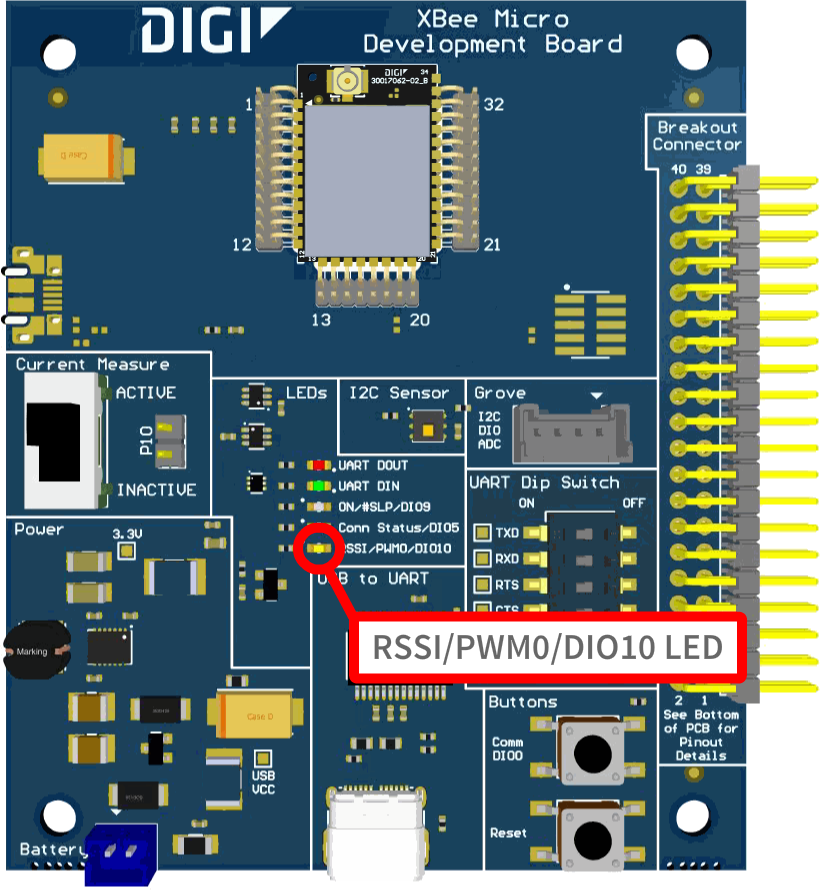
Set P0 to Digital Out, High and click Apply. The RSSI/PWM0/DIO10 LED on the board turns on.
-
Set P0 to Digital Out, Low and click Apply. The RSSI/PWM0/DIO10 LED turns off.
You just changed a setting on an XBee for Wi-SUN node from the cloud, even though the node itself has no direct internet connection. The XBee Hive for Wi-SUN forwards your changes to the node over the Wi-SUN network, so the same procedure applies to any other configurable setting on the device.
Other Remote Manager capabilities
Remote Manager provides additional management capabilities beyond configuration. Availability varies by device type:
| Feature | XBee Hive for Wi-SUN | XBee for Wi-SUN |
|---|---|---|
Configure devices |
✓ |
✓ |
Manage configuration with Templates |
✓ |
✓ |
Update firmware |
✓ |
✓ |
Run automations |
✓ |
✓ |
Reboot a device |
✓ |
✓ |
Manage the file system remotely |
✓ |
|
Run remote CLI commands |
✓ |
| For complete documentation on these features, see Manage Wi-SUN devices remotely. |
