


Wi-SUN is designed for large, often unattended outdoor networks where physical access to devices cannot always be guaranteed. To protect the network, Wi-SUN uses a secure protocol where every device must present a valid identity certificate before it can join the mesh.
Every join attempt goes through two separate operations:
-
Authentication: Verifies that the device holds a valid identity certificate issued by a trusted certificate authority (CA).
-
Authorization: Decides whether the authenticated device is permitted to join based on a configured policy.
By default, the XBee Hive for Wi-SUN handles both operations locally. The border router supports four authorization modes: Open, Allow-list, RADIUS, and Digi Remote Manager.
| For more information on Wi-SUN security, See Understand authentication and device identity topic. |
Digi Remote Manager authorization mode
One of the features provided by the Digi Wi-SUN solution is the ability to delegate authorization to Remote Manager.
When Digi Remote Manager mode is selected on a border router, Remote Manager becomes the authentication and authorization server for that border router. The authorization mode and allow-list are then managed from the Security tab of the XBee Network page, giving you central control over which devices can join without accessing individual border routers.
Configure the following on each XBee Hive for Wi-SUN you want to delegate to Remote Manager:
-
Enable Bridge mode: Gives the border router the ability to forward authentication messages to Remote Manager. See Configure remote management for XBee nodes.
-
Set Authorization to Digi Remote Manager: Tells the border router to delegate all admission decisions to Remote Manager. See Configure the border router to use Remote Manager as auth server.
Authorization modes
The Security tab of the XBee Network page in Remote Manager allows you to configure the authorization mode for the network when Digi Remote Manager mode is selected on the border routers.
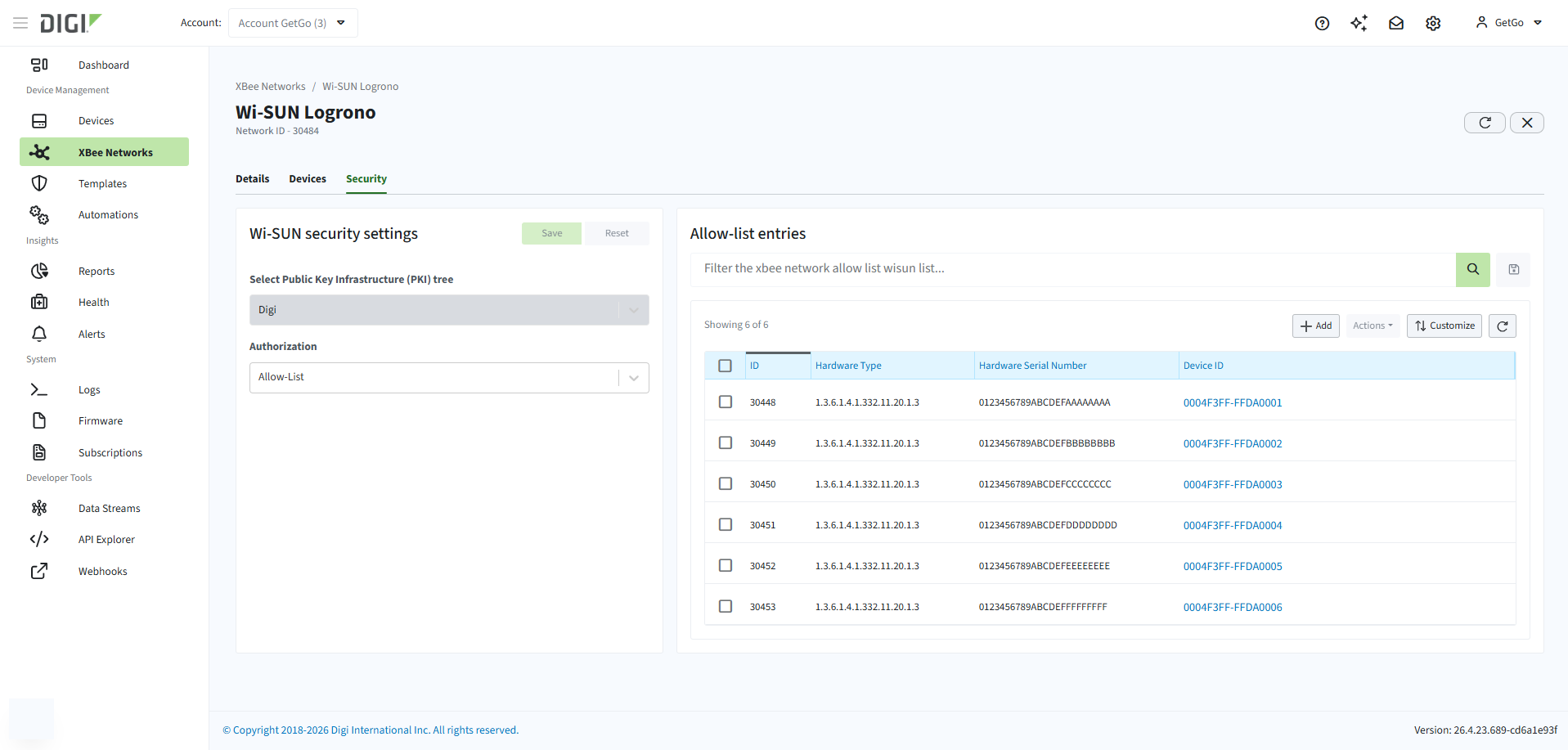
The following authorization modes are available:
