


This is the initial view of a device. It contains status cards with device information and quick action cards to simplify common configurations.
This view is divided into several sections:
Product
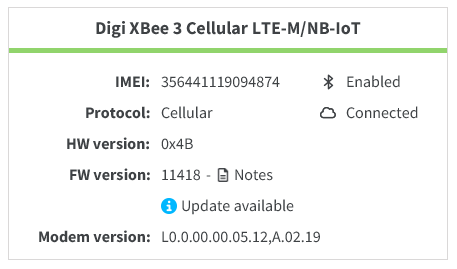
Displays the general information about the device. It is structured into two columns:
-
Information column (left): Displays the basic information of the device.
Name Device type Description 64-bit address
-
XBee RF modules
Matches the
SHandSLAT commands of the device.IMEI
-
XBee Cellular modules
Matches the
IMAT command of the device.Name
-
XBee RF modules
-
XBee Cellular modules
-
XBee border routers
-
For XBee RF modules: The node identifier of the device when connected serially.
It matches the
NIAT command of the device. -
For XBee Cellular modules: The device name when connected through the cloud.
-
For XBee border routers: The system host name.
Protocol
-
XBee RF modules
-
XBee Cellular modules
-
XBee border routers
The XBee protocol of the device.
Mesh addr
-
XBee Wi-SUN modules
The IPv6 address assigned to the node within the Wi-SUN network.
It uniquely identifies the device within the IPv6 domain and is used for routing and communication between the border router and other nodes in the mesh.
HW version
-
XBee RF modules
-
XBee Cellular modules
The hardware version of the device.
It matches the
HVAT command of the device.FW version
-
XBee RF modules
-
XBee Cellular modules
-
XBee border routers
The firmware version of the device.
For XBee modules, it matches the
VRAT command of the device.A graphic indicator shows whether the module is up to date or if an update is available. It also includes a link to the release notes of the installed firmware.
Modem version
-
XBee Cellular modules
The firmware version of the modem.
It matches the
MVAT command of the device.IPv4 address
-
XBee border routers
The IPv4 address of the border router used for the communication.
-
-
Status column (right): Displays the status of several features.
Name Device type Description Bluetooth® LE
-
XBee RF modules with Bluetooth support
-
XBee Cellular modules
Indicates whether the Bluetooth LE feature is enabled.
It matches the
BTAT command of the device.Cloud connection
-
XBee Cellular modules
-
XBee border routers
Shows whether the device is connected to Digi Remote Manager®.
-
Connection
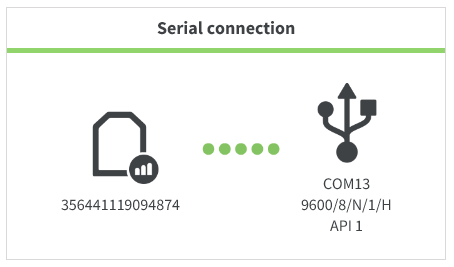
Displayed only for XBee modules, it contains the information about the device’s connection. It has two sections:
-
The device section (left) displays an icon representing the device type and protocol, and below it, the basic information such as name and device address—IMEI for cellular devices and 64-bit address for other XBee module types.
-
The connection section (right) shows an icon indicating the connection type and additional connection details. Two connection types are supported:
-
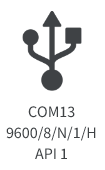
Serial: The device connects directly to your PC via serial or USB cable, depending on its adapter board. Below the icon, the serial port details are displayed—port name, baud rate, data bits, parity, stop bits, and hardware flow control. For XBee devices, their operating mode is also displayed here.
-
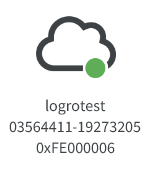
Cloud: The device connects to the Internet through your Digi Remote Manager® account. This means the device must be added to the selected Digi Remote Manager® account to be accessible from XBee Studio. The cloud icon includes an online status indicator—green when connected to Digi Remote Manager®, red when offline. Below the icon, additional information provided by Digi Remote Manager® is shown, such as account username, device ID, and vendor ID.
-
Network information
Displayed only for border routers, it shows details about the network they manage or belong to.
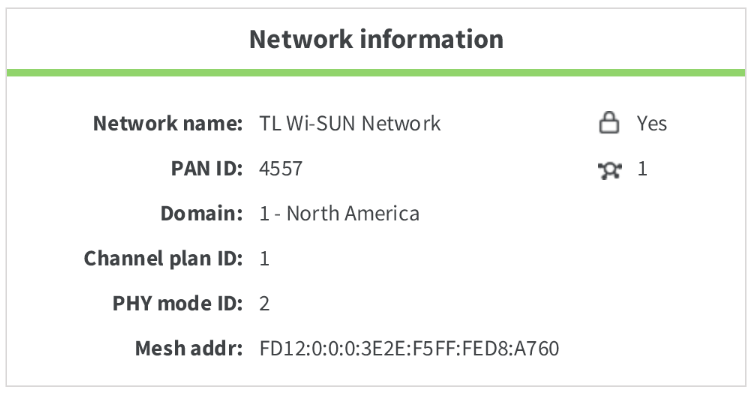
| Name | Available | Description |
|---|---|---|
Network name |
|
The name of the Wi-SUN network configured on the device. |
PAN ID |
|
The 16-bit identifier of the Personal Area Network. It is shown for Zigbee, DigiMesh, 802.15.4, and Wi-SUN networks. |
Domain |
|
The regulatory domain in which the Wi-SUN network operates. |
Channel plan ID |
|
The channel plan used by Wi-SUN networks, defining the frequency set and hopping sequence. |
PHY mode ID |
|
The physical layer mode used by Wi-SUN networks, indicating modulation and data rate parameters. |
Mesh addr |
|
The IPv6 mesh address of the border router within the Wi-SUN network. |
Quick Actions
This section fills the remaining space on the view and displays one card per quick action supported by the device.
Each card shows the action icon and title when collapsed (default state), and adds a brief description when expanded.
When a quick action is selected, a popup opens with its specific controls and buttons to execute or cancel the action.
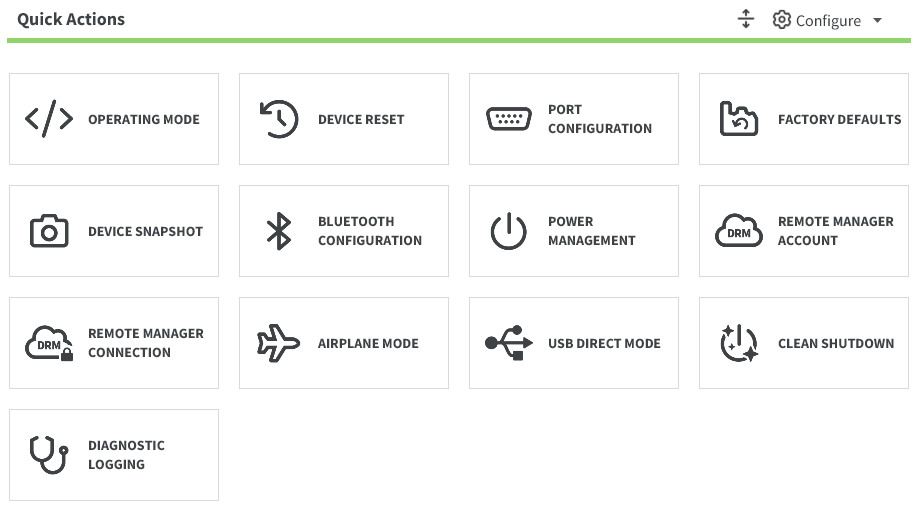
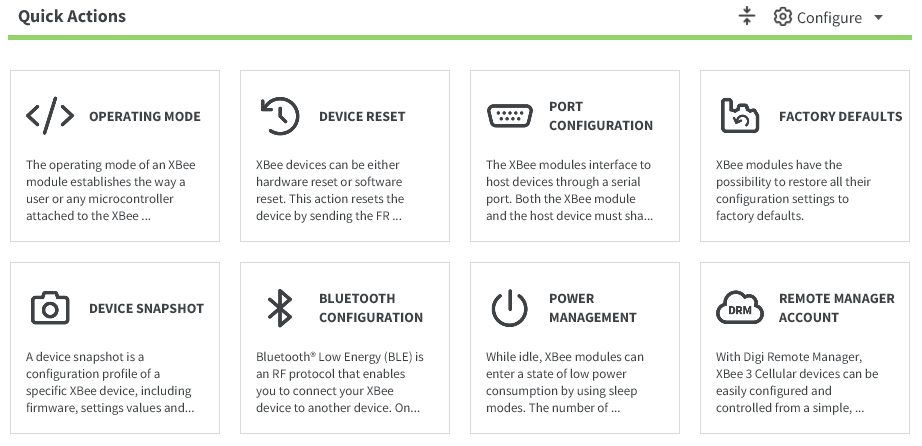
The full list of quick actions is:
| Name | Device type | Description |
|---|---|---|
Airplane mode |
|
Enables or disables the cellular component of the XBee 3 Cellular device. |
Bluetooth configuration |
|
Manages the Bluetooth Low Energy (Bluetooth LE) configuration of the device. |
Clean shutdown |
|
Unregisters the XBee 3 Cellular device from the cellular network and safely stores operating parameters. |
Device name |
|
Updates the name or node identifier of the device. |
Device reset |
|
Performs a software reset of the device. |
Device snapshot |
|
Creates a configuration profile based on the device settings and file system. |
Diagnostic logging |
|
Enables diagnostic logging to capture device information and store it in a file. |
Factory defaults |
|
Restores the device configuration to its default values. |
Network |
|
Configures the network and encryption parameters for the XBee 3 RF device. |
Operating mode |
|
Updates the operating mode of the device. |
Port configuration |
|
Updates the serial port configuration of the device. |
Power management |
|
Manages sleep modes and power level to extend its battery life. |
Remote Manager connection |
|
Configures the connection parameters of the XBee 3 Cellular device with Digi Remote Manager®. |
Remote Manager registration |
|
Registers the device with Digi Remote Manager®. |
Restore Digi certificates |
|
Clears Wi-SUN network custom certificates loaded into memory and reverts to the Digi factory certificates. |
Role |
|
Configures the role of the XBee 3 Zigbee device. |
Secure session |
|
Enables and configures the secure session parameters for the XBee 3 RF device. |
USB Direct mode |
|
Enables USB direct mode to allow access to the modem’s USB interface through pins 7 and 8 of the XBee. |
| You can hide or show specific quick actions in the Configure menu and rearrange the cards by dragging and dropping them. |
