


Once a connection is established with your XBee device through BLE, the app displays the Device Home page of the device.
This page contains general information about the device and allows you to access the different features available for it.
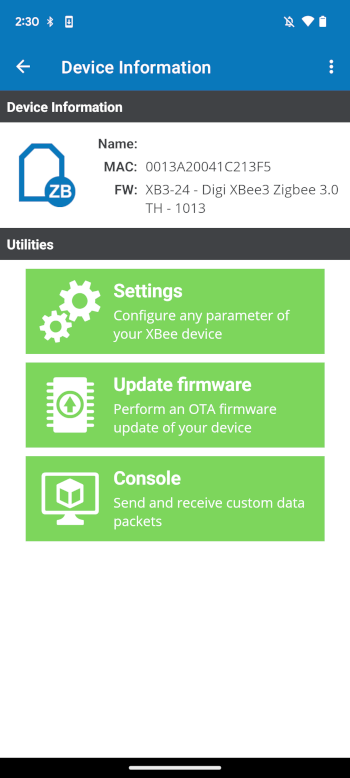
Device Information panel
The Device Information panel displays general information about the XBee device:
-
Protocol image
-
Name (node identifier)
-
MAC address
-
Firmware version
Device Actions panel
The Device Actions panel displays a list with the features available for the XBee device. Tap any of them to access their corresponding page:
-
Settings: Allows you to configure the firmware parameters of the device.
-
Update firmware: Perform an over-the-air (OTA) firmware update.
-
Console: Communicate with the XBee device by sending and receiving data packets.
| If the device or the firmware running in the device does not support the firmware update feature, the Update firmware button will be disabled. |
