


When your XBee device appears on the list, tap on it to open the connection. The application asks you to enter its Bluetooth password.
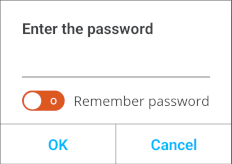
Type the password you configured with XBee Studio and tap OK to establish a connection with the device.
| You can toggle the Remember password switch on so you are not prompted with the Bluetooth password dialog for future connections. |
Once the connection with the device is established successfully, the application opens the Device Home page. From this page, you can start working with your device.
