


One of the feature you can find in the Digi XBee Mobile app is the ability to wirelessly configure the different firmware settings of your device. Settings are grouped in categories based on their functionality.
To start configuring the device, click the Settings button from the device home page. The application displays a page with a list of the different firmware configuration categories.
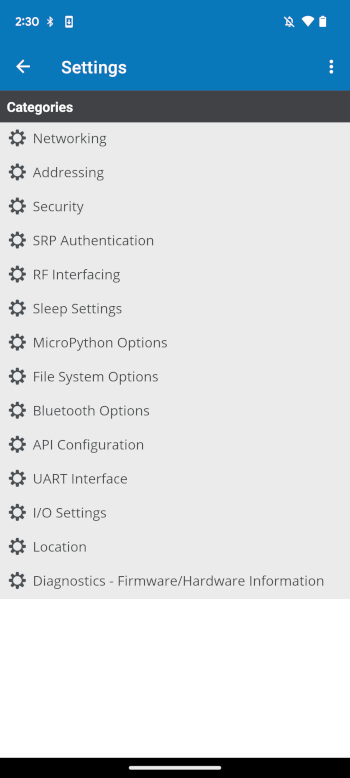
You can tap on one of them to access the settings page of that category. The category settings page lists all the firmware parameters corresponding to the selected category. By default, all the settings are read when accessing the category page for first time.
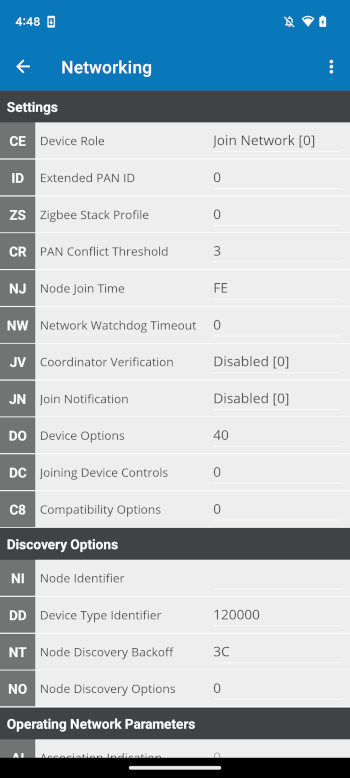
|
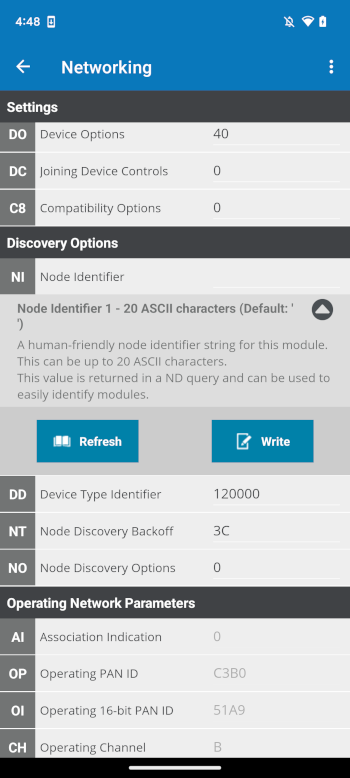
|
The following table describes the different controls of each setting:
| Field | Image | Description | ||
|---|---|---|---|---|
AT parameter |

|
Displays the associated AT parameter of the setting. |
||
Setting name |

|
Displays the name of the setting. |
||
Value |

|
Contains the text box or combo box where the setting value must be typed or configured. |
||
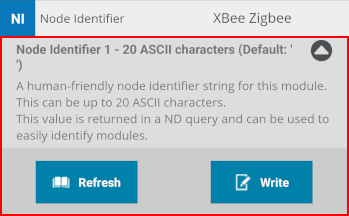
Details pane |
|
Appears when you tap on the Setting List item. It displays the setting description, range, default value, and buttons to refresh and write the value of the setting.
|
If the category contains any subcategories they are displayed in the Setting List with an item indicating their name, followed by all their settings.
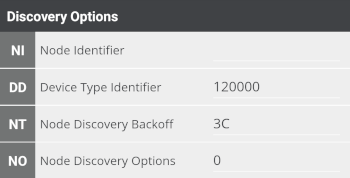
Digi XBee Mobile delineates the status of each setting with the background color of the AT parameter rectangle. These are the possible statuses of a setting:

|
The value of the setting has changed but it has not been written in the radio module yet. |

|
The value of the setting is written in the radio module but is different from the default value. |

|
The value of the setting is written in the radio module and matches the default value. |

|
The value of the setting is not valid. |
You can scroll along the page to check the value of the settings and tap any of them to expand the details pane and get more information about it.
From this page you can also refresh and write the value of the setting.
