Communicate with a micro-controller connected to an XBee
In some cases, the XBee device is used as a wireless (RF or Cellular) interface enabler and the intelligence of the device resides in an external micro-controller.
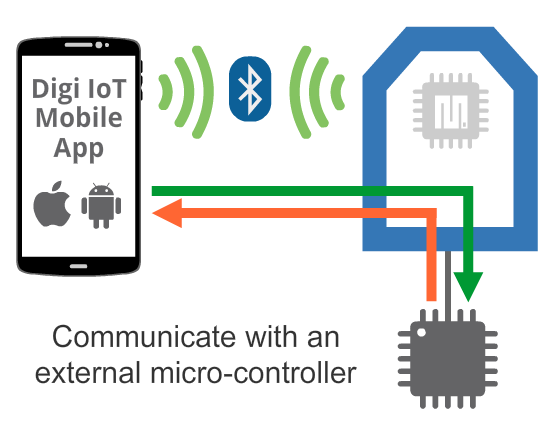
In this case, the purpose of the Bluetooth Low Energy (BLE) interface is to communicate with the external micro-controller, forwarding the data sent from the mobile device to the serial interface of the XBee device and vice-versa. This use case is similar to the MicroPython one.
For this use case, you’ll need a mobile application running on the mobile phone and another application running in the external micro-controller. This last application can be developed using any of the XBee libraries that Digi provides.
Note For more information about the XBee libraries, see XBee Java Library and XBee Python Library.
See the scenarios below for ways to communicate with an external micro-controller via BLE:
-
Perform a device provisioning operation (initial configuration) of XBee devices during the network deployment process. This includes XBee firmware parameters and other settings stored in the external micro-controller.
-
Read diagnostic information from XBee devices already deployed in a network.
-
Read transformed values from peripherals connected to the XBee device or to the external micro-controller or command actions to it.
-
Provide a graphic UI for the product or system using the mobile phone screen as the interface.
-
Transfer files to the external micro-controller or update its firmware over-the-air.
Example
The Digi IoT Mobile SDK includes an example that demonstrates how a mobile application can communicate via BLE with an external micro-controller connected to the XBee device. The example shows you how to send a file from the mobile application and receive it in the micro-controller connected to the XBee device.
| Smartphone side | External micro-controller side |
|---|---|
| XBee BLE Microcontroller example | Receive Bluetooth file sample - Java |
| Receive Bluetooth file sample - Python |
 PDF
PDF


