Install SIM cards
To install SIM cards:
- For high-vibration environments, apply a thin layer of dielectric grease to the SIM contacts.
-
Insert the SIM card into the SIM 1 socket. Insert the end of the SIM card with the chamfered corner positioned as indicated. Push the SIM in until it clicks into place.
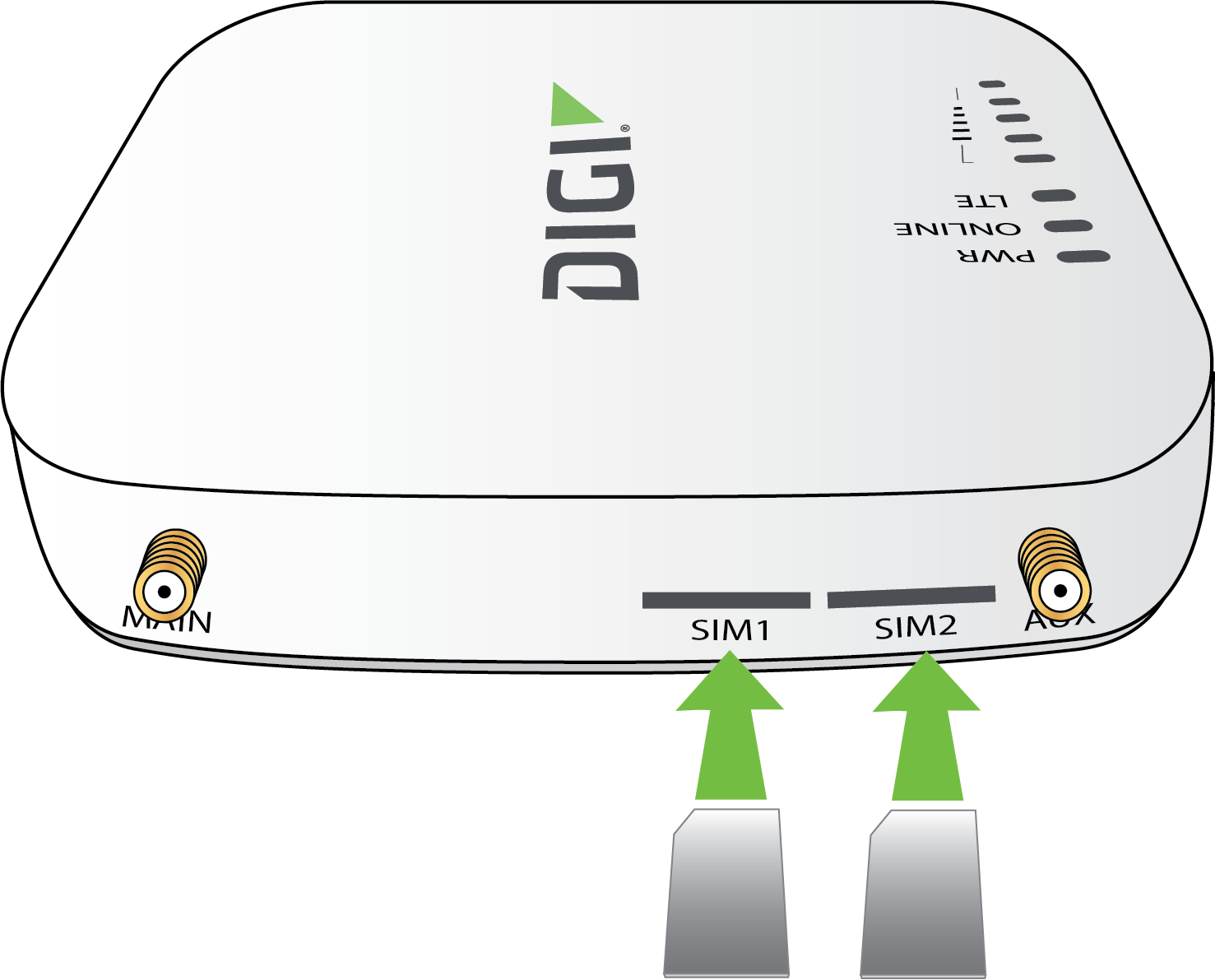
Note If the EX12 device is used in an environment with high vibration levels, SIM card contact fretting may cause unexpected SIM card failures. To protect the SIM cards, Digi strongly recommends that you apply a thin layer of dielectric grease to the SIM contacts prior to installing the SIM cards. See Apply Dielectric Grease over SIM Contacts for instructions.
Apply Dielectric Grease over SIM Contacts
Note Digi recommends using either the Loctite® LB 8423 Dielectric Grease or Synco Lube® Silicone Dielectric Grease.
-
Use a sheet of paper or cardboard over the area where you intend to work.
-
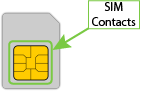
Use isopropyl alcohol and a cotton-tipped applicator to gently clean the SIM contacts. Using isopropyl alcohol requires a well vented environment. Demineralized water can also be used as an alternative.
-
Once the surface is clean and dry, apply a small amount of dielectric grease in a thin layer over the contacts. Use a new cotton-tipped applicator to work the grease smoothy over the contacts. Apply gentle pressure.
-
When the dielectric grease has been applied, insert the SIM into the SIM slot as described above.
SIM removal
The EX12 has a PUSH-PUSH SIM connector. To insert, push each SIM in until it clicks, and repeat for removal. When you push to eject, the SIM ejects back out about 1/8 inch.
 PDF
PDF


