Add or edit device tags
You can add tags to a device to help categorize that device.
Note Device tags are stored in Remote Manager, not on the device.
To add or edit a device tag:
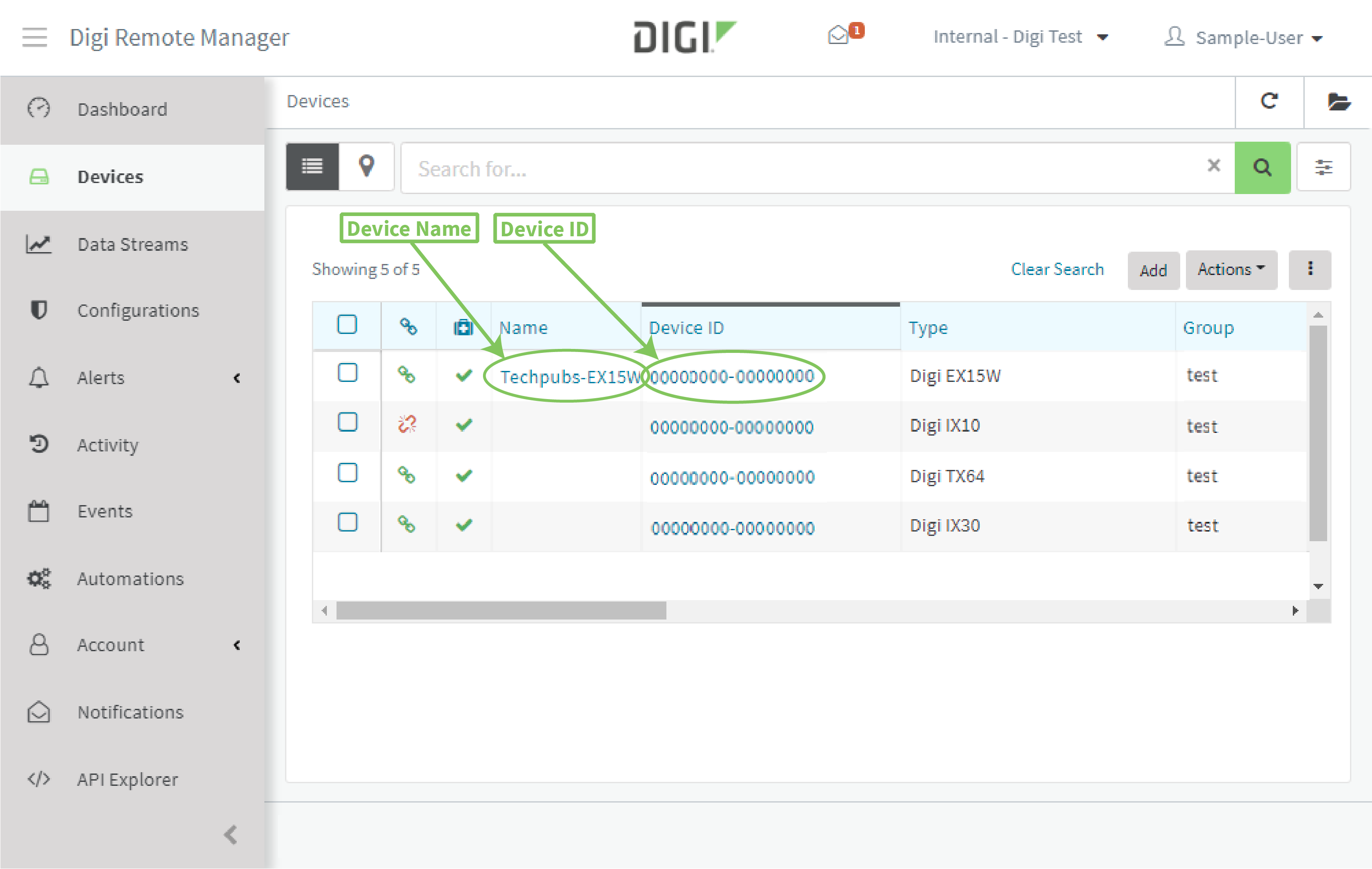
- From the main menu, click Devices.
- In the device list, click the device Name or Device ID.
- In the device's Details view, type one or more Tagsfor the device:
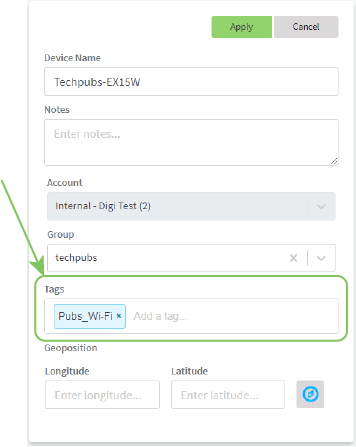
- Click Apply.
 PDF
PDF


