View device summary dashboard
The device summary dashboard shows bar and table charts for the device connection history.
To view the device summary dashboard:
- From the main menu, click Devices.
- In the device list, click the device Name or Device ID.
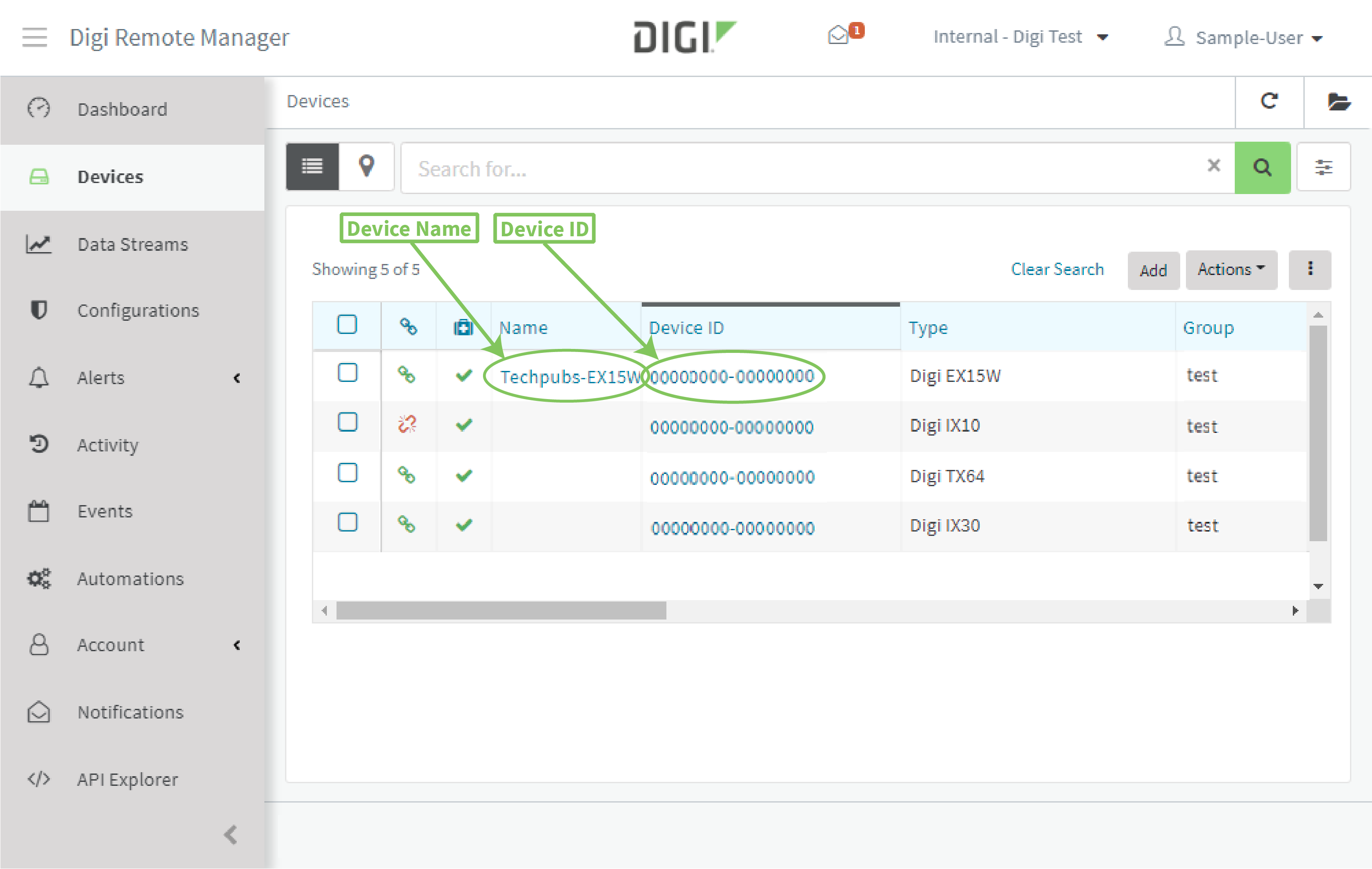
The device's Details page is displayed.
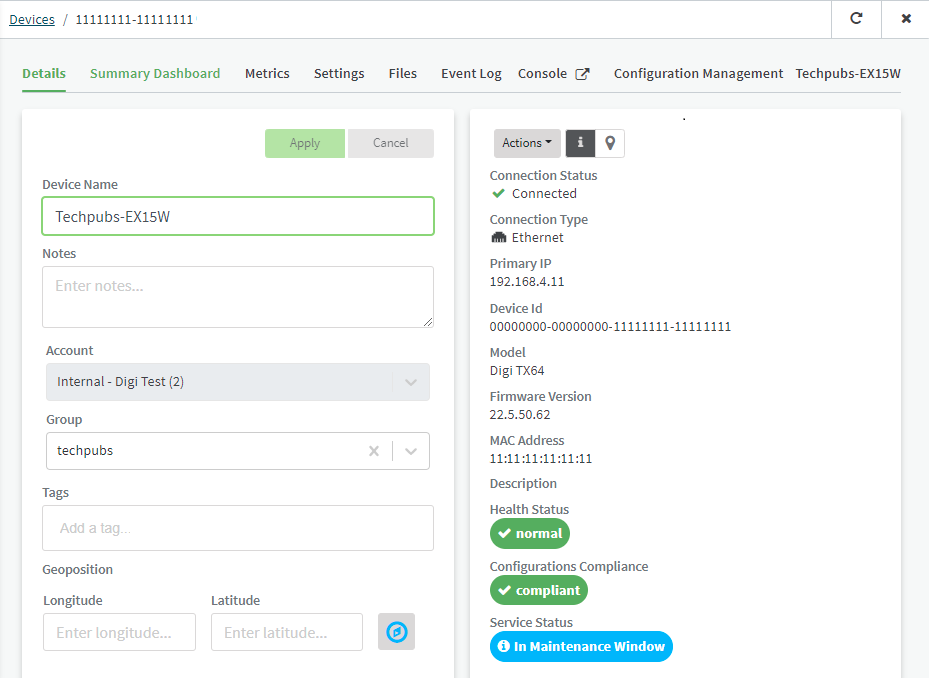
- Click Summary Dashboard.
The summary dashboard is displayed.
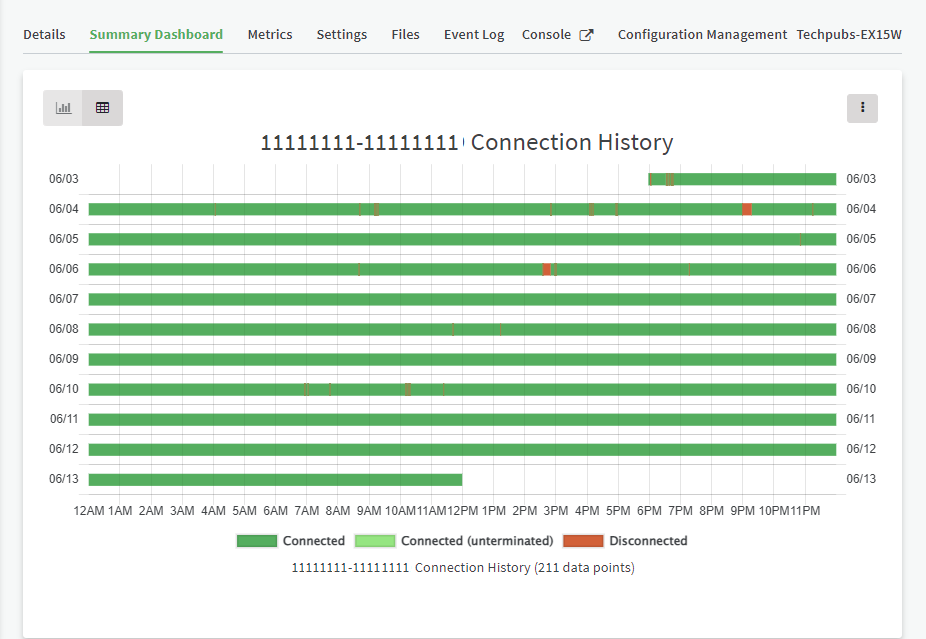
- To view a bar chart of connection history, click .
- To view tabular data for connection history, click .
The connection status displayed is one of:
-
Connected
-
Disconnected
-
Connected (unterminated) — The device connected at the beginning of the session, but there was no session end. The device has since reconnected. As a result, there is a new connection event, but no previous disconnect event.
This may be the result of infrastructure problems that sever the connection between Remote Manager and the device.
 PDF
PDF


