Note GNSS support is only available on the CORE modems that integrate GNSS functionality, which include the CM07 and the CMG4 models.
To enable GNSS support on your EX15 device that uses either the CM07 or the CMG4 CORE modem:
Web
- Log into Digi Remote Manager, or log into the local Web UI as a user with full Admin access rights.
- Access the device configuration:
 Remote Manager:
- Locate your device as described in Use Digi Remote Manager to view and manage your device.
- Click the Device ID.
- Click Settings.
- Click to expand Config.
Local Web UI:- On the menu, click System. Under Configuration, click Device Configuration.
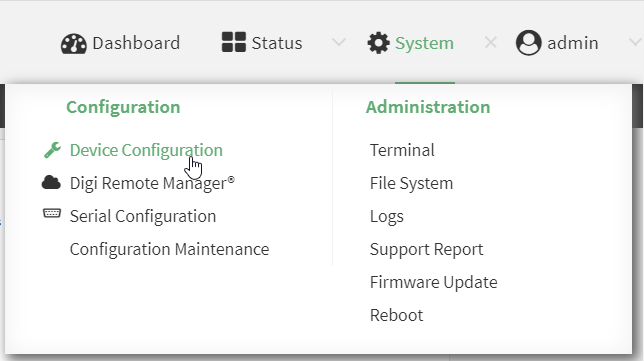
The Configuration window is displayed.
- Click Services > Location > Location sources > modem.
- (Optional) Type a Label for the Modem GNSS location source.
- For Type of location source, leave the selection at Modem GNSS.
- Click Enable the location source to disable the GNSS receiver, or to enable it if it has been disabled.
- Alternatively, you can also delete the modem location source:
- Click the menu icon (...) next to the modem location source.
- Click Delete.
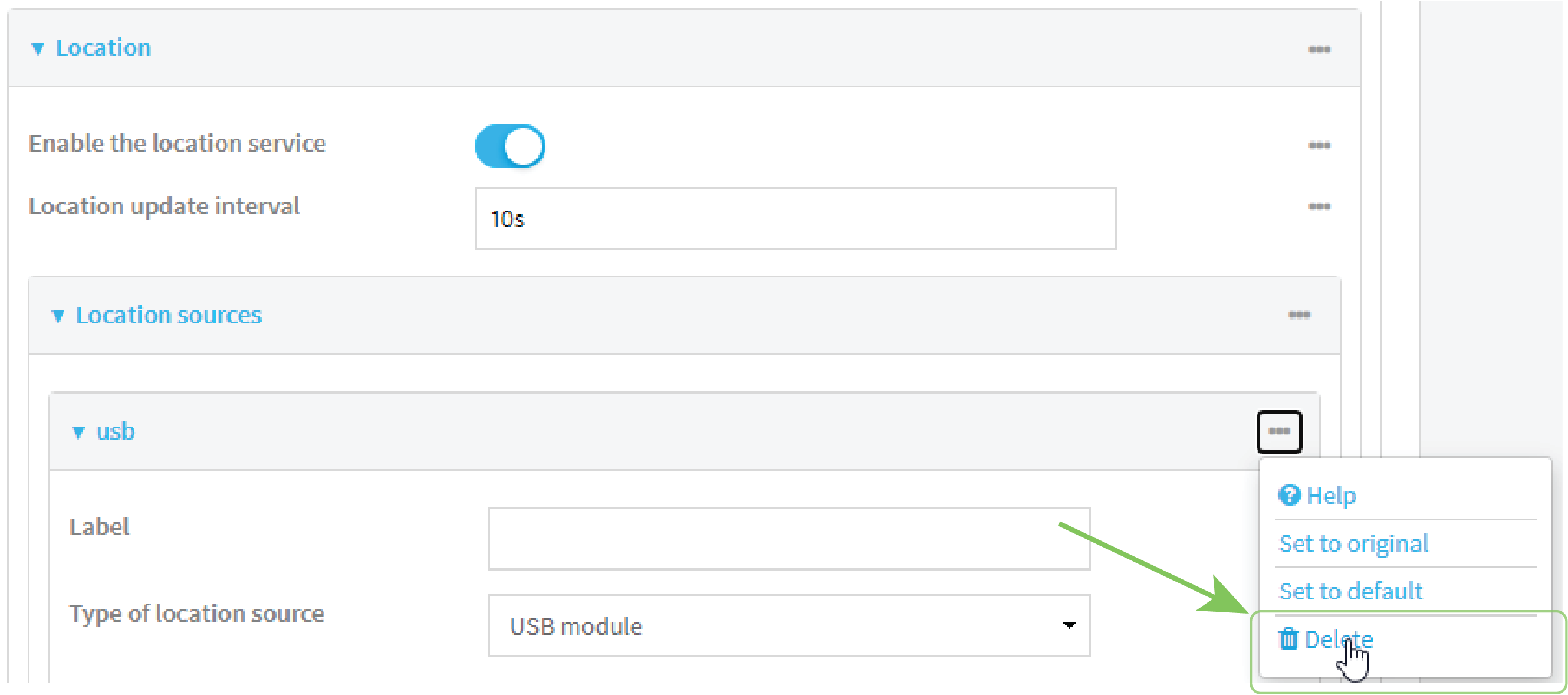
- Click Apply to save the configuration and apply the change.
Command line
- Select the device in Remote Manager and click Actions > Open Console, or log into the EX15 local command line as a user with full Admin access rights.
Depending on your device configuration, you may be presented with an Access selection menu. Type admin to access the Admin CLI.
- At the command line, type config to enter configuration mode:
> config
(config)>
- Enable or disable the modem GNSS module:
- Use the show command to determine the index number of the modem GNSS location source:
(config)> show service location source
0
	enable true
	no label
	type modem
(config)>
- Use the index number to enable or disable the module:
- To enable the module:
(config)> service location source 0 enable true
(config)>
- To disable the module:
(config)> service location source 0 enable false
(config)>
- To enable the module:
Alternatively, you can use the index number to delete the USB location source:
(config)> del service location 0
(config)>
- Use the show command to determine the index number of the modem GNSS location source:
-
(Optional) Set a label for this location source:
(config)> service location source 0 label "label"
(config)>
- Save the configuration and apply the change.
(config)> save Configuration saved. > - Type exit to exit the Admin CLI.
Depending on your device configuration, you may be presented with an Access selection menu. Type quit to disconnect from the device.
 PDF
PDF


