Required configuration items
- The types of authentication method to be used:
To add an authentication method:
WebUI
- Log into the 6300-CX WebUI as a user with full Admin access rights.
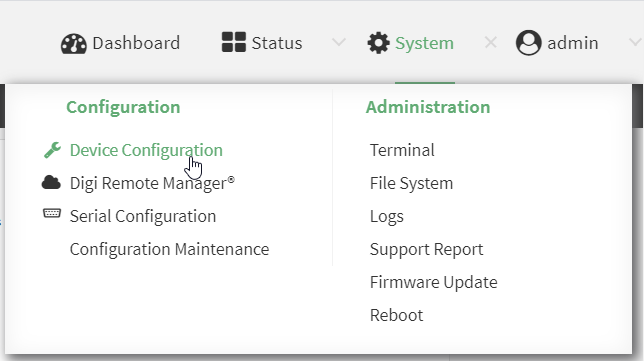
- On the menu, click System. Under Configuration, click Device Configuration.
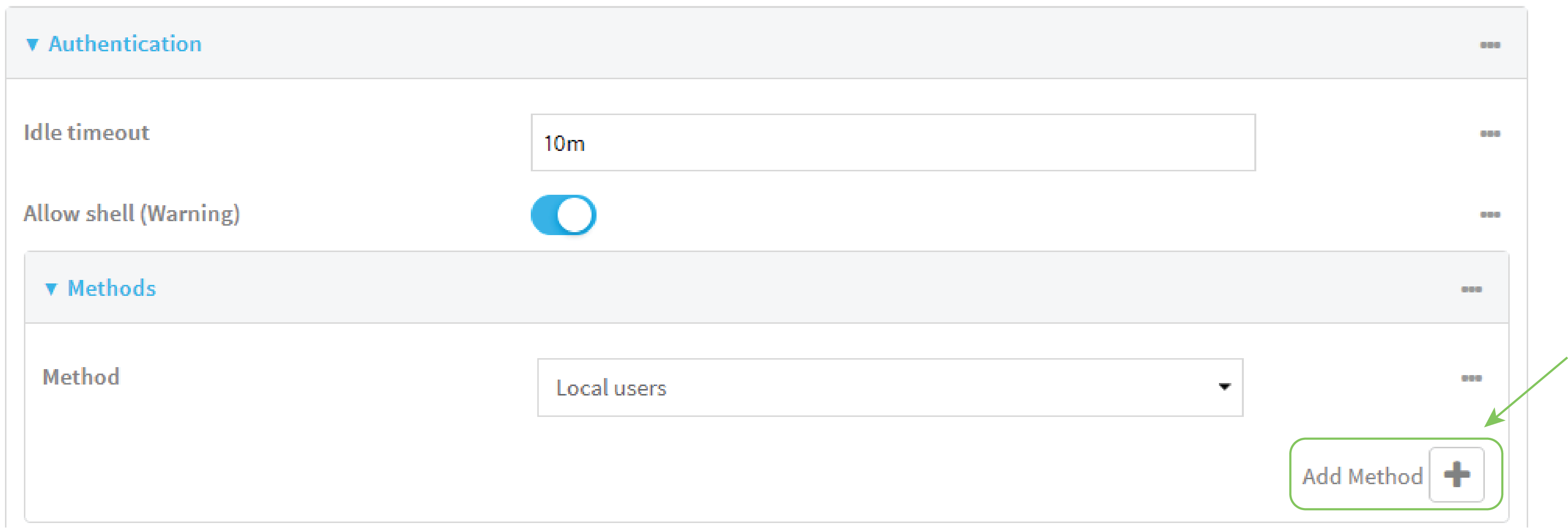
- Click Authentication > Methods.
- For Add Method, click .
- Select the appropriate authentication type for the new method from the Method drop-down.
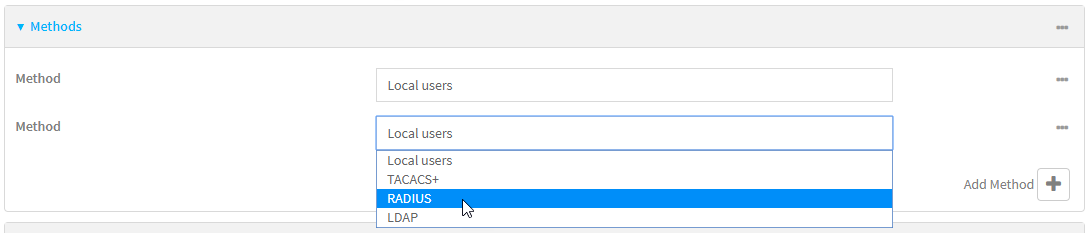
Note Authentication methods are attempted in the order they are listed until the first successful authentication result is returned. See Rearrange the position of authentication methods for information about how to reorder the authentication methods.
- Repeat these steps to add additional methods.
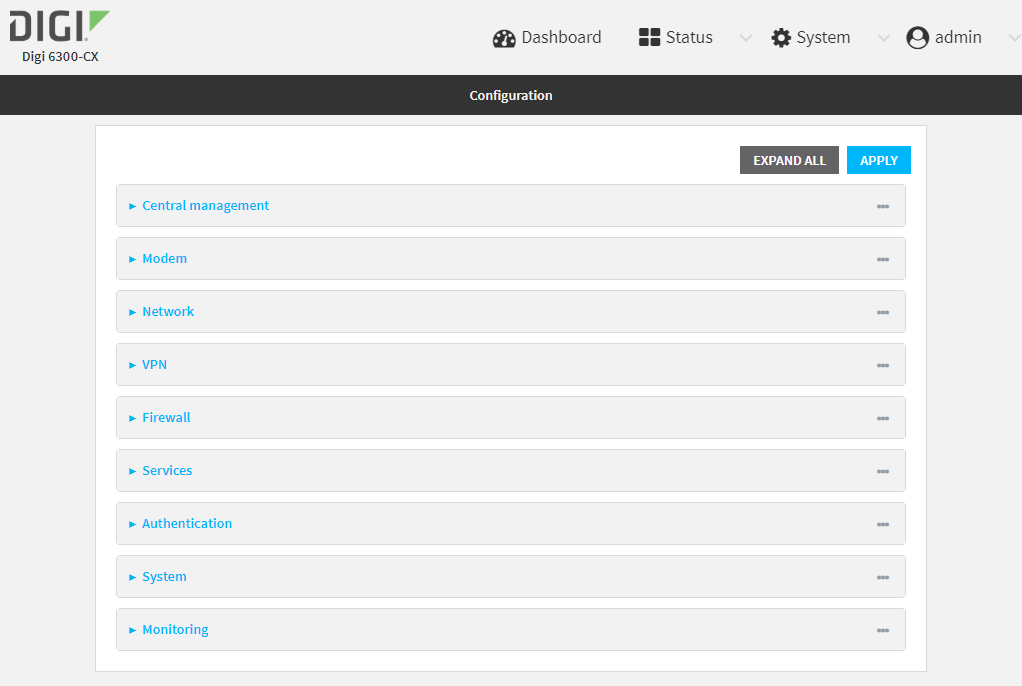
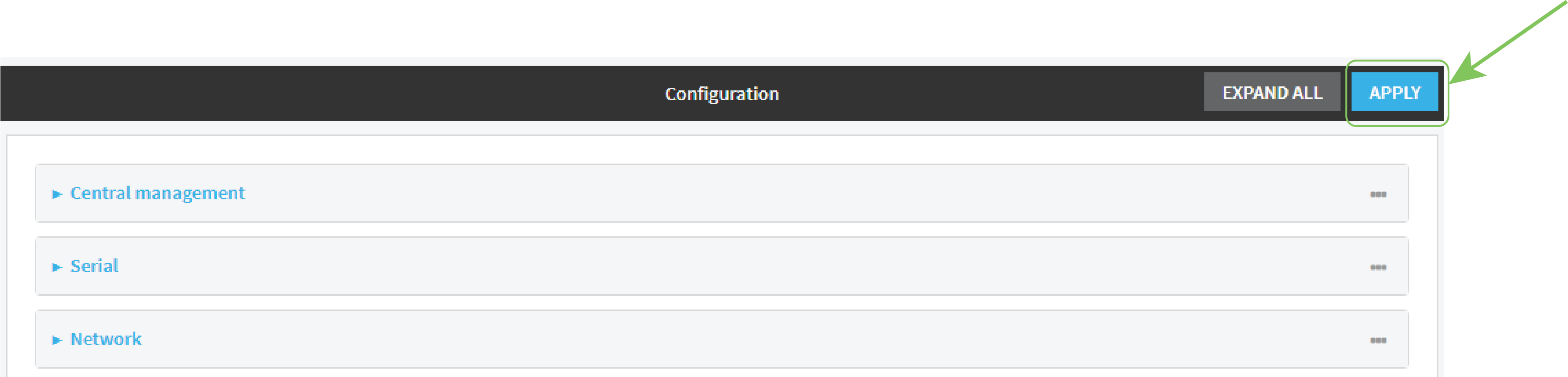
- Click Apply to save the configuration and apply the change.
The Configuration window is displayed.

Command line
Authentication methods are attempted in the order they are listed until the first successful authentication result is returned. This procedure describes how to add methods to various places in the list.
- Log into the 6300-CX command line as a user with full Admin access rights.
Depending on your device configuration, you may be presented with an Access selection menu. Type admin to access the Admin CLI.
- At the command line, type config to enter configuration mode:
> config
(config)>
- Add the new authentication method to the appropriate location in the list:
- To determine the current list of authentication methods:
- Log into the 6300-CX command line as a user with full Admin access rights.
Depending on your device configuration, you may be presented with an Access selection menu. Type admin to access the Admin CLI.
- At the command line, type config to enter configuration mode:
> config
(config)>
- Use the show auth method command to display the current authentication methods configuration:
(config)> show auth method
0 local
(config)>
- Log into the 6300-CX command line as a user with full Admin access rights.
- To add the new authentication method to the beginning of the list, use the index value of 0 to indicate that it should be added as the first method:
(config)> add auth method 0 auth_type
(config)>
where auth_type is one of local, radius, tacacs+, or ldap.
- To add the new authentication method to the end of the list, use the index keyword end:
(config)> add auth method end auth_type
(config)>
where auth_type is one of local, radius, tacacs+, or ldap.
- To add the new authentication in another location in the list, use an index value to indicate the appropriate position. For example:
(config)> add auth method 1 auth_type
(config)>
where auth_type is one of local, radius, tacacs+, or ldap.
- You can also use the move command to rearrange existing methods. See Rearrange the position of authentication methods for information about how to reorder the authentication methods.
- To determine the current list of authentication methods:
- Save the configuration and apply the change:
(config)> save Configuration saved. > - Type exit to exit the Admin CLI.
Depending on your device configuration, you may be presented with an Access selection menu. Type quit to disconnect from the device.
 PDF
PDF


