Using the local web interface
To connect to the IX14 local Web UI:
- Use an Ethernet cable to connect the IX14's LAN port to a laptop or PC.
- Open a browser and go to 192.168.2.1.
- Log into the device using a configured user name and password.
The default user name is admin and the default password is the unique password printed on the label packaged with your device.
Note If your device was manufactured prior to firmware version 19.11.x, the default user for logging into the device may be root, rather than admin.
- The default user is root:
- If the device is at a firmware level 19.8.x or older.
- If the device has been upgraded from 19.8.x or older to 19.11.x or newer.
- The default user is admin:
- If the device is at 19.11.x or newer when manufactured.
- If the device has been upgraded from 19.8.x or older to 19.11.x or newer and has been factory reset after the upgrade.
- The default user is root:
After logging in, the local web admin dashboard is displayed.
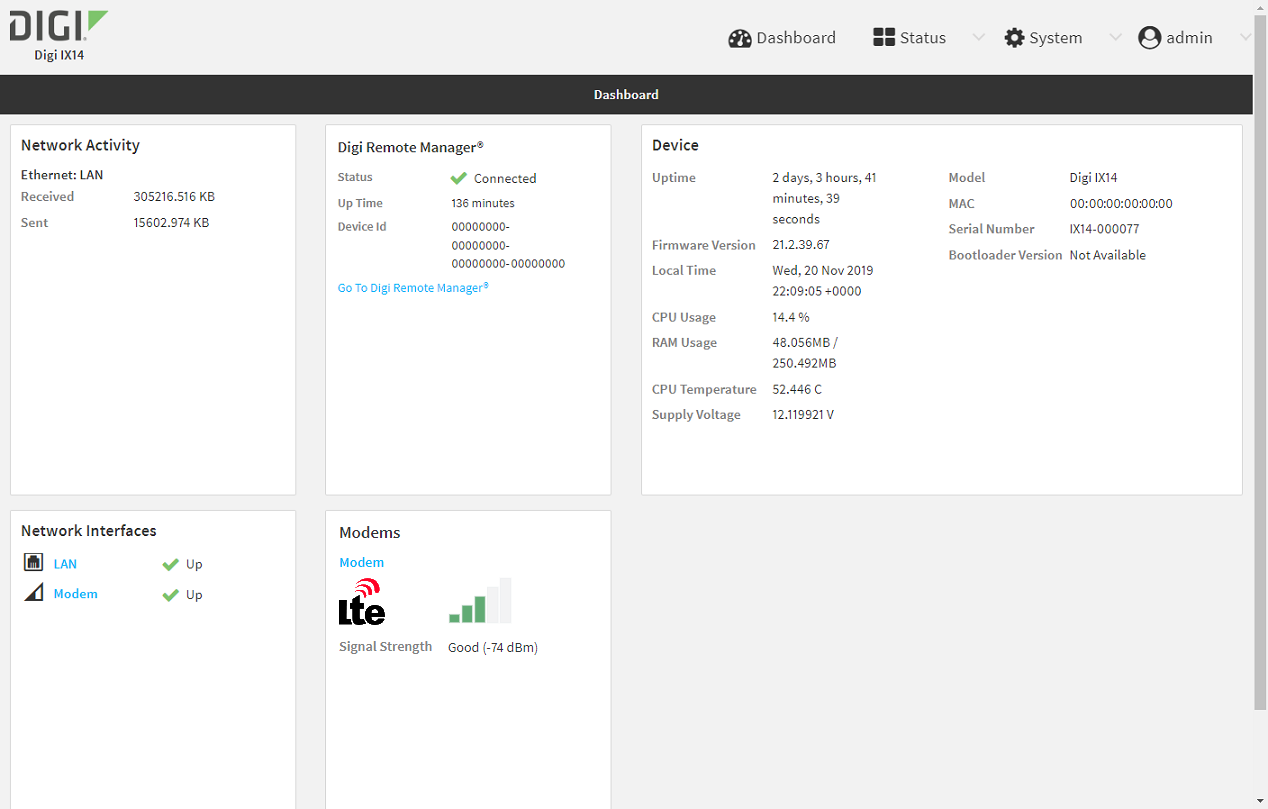
The dashboard shows the current state of the device.
| Dashboard area | Description |
|---|---|
| Network activity |
Summarizes network statistics: the total number of bytes sent and received over all configured bridges and Ethernet devices. |
| Digi Remote Manager |
Displays the device connection status for Digi Remote Manager, the amount of time the connection has been up, and the Digi Remote Manager device ID. |
| Device |
Displays the IX14 device's status, statistics, and identifying information. |
| Network Interfaces | Displays the status of the network interfaces configured on the device. |
| Modems | Provides information about the signal strength and technology of the cellular modem(s). |
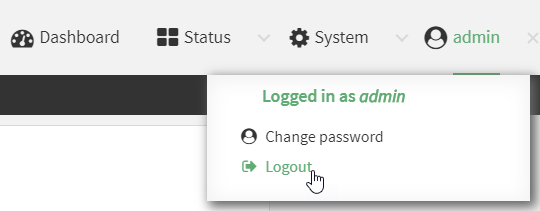
- On the main menu, click your user name. Click Log out.
 PDF
PDF


