Connect a loopback jumper to an XBee device
Connecting a loopback jumper to an XBee device lets you send a message to another XBee device and have the message loop back to the sender.
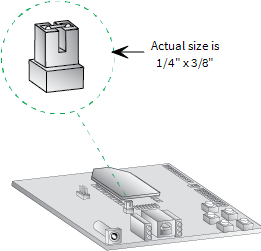
- Connect the loopback jumper on XBEE_B so it bridges the two pins on its development board.
- In the XBEE_A console, click the Clear session button
 to clear your previous conversation.
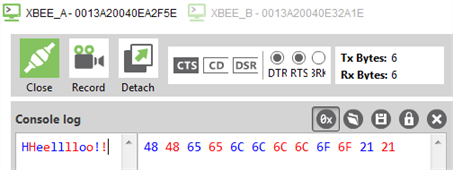
 - Type Hello!
Each character loops back in the XBEE_A console log, which indicates that XBEE_A successfully sent the message to XBEE_B.
You are now ready to use the loopback jumper to help you test a mesh network consisting of three XBee devices.
 PDF
PDF


