Update firmware
You can use XCTU to update a module's radio firmware.
- Switch to Configuration working mode
 .
- Select a radio module from the device list.
- Click the Update firmware button
 . A dialog box appears displaying the available and compatible firmware for the selected module.
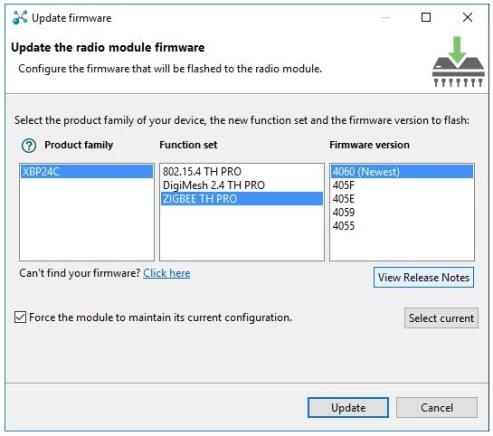
- Choose the firmware family, function, and version.
Note If you do not remember the firmware version that is currently installed in your radio module, click Select current to automatically select it.
- Click Update. A dialog box displays update progress. You can click the Show details button to view a detailed progress log, and Hide details to hide it.
Note During the firmware update process, XCTU attempts to obtain the module information again, as some critical settings such as the operating mode could have changed. If the Maintain current module configuration setting is checked, XCTU writes the old configuration to the module and then reads the setting's values.
 PDF


