Configure the appearance of device configuration views
You can control the appearance of device configuration views: use enhanced device configuration or use classic (pre-January 2019) device configuration. By default, Remote Manager uses the enhanced device configuration view.
With the enhanced view, you can view and edit configuration information for a device as follows:
- From Device management, select a device and click Configure:
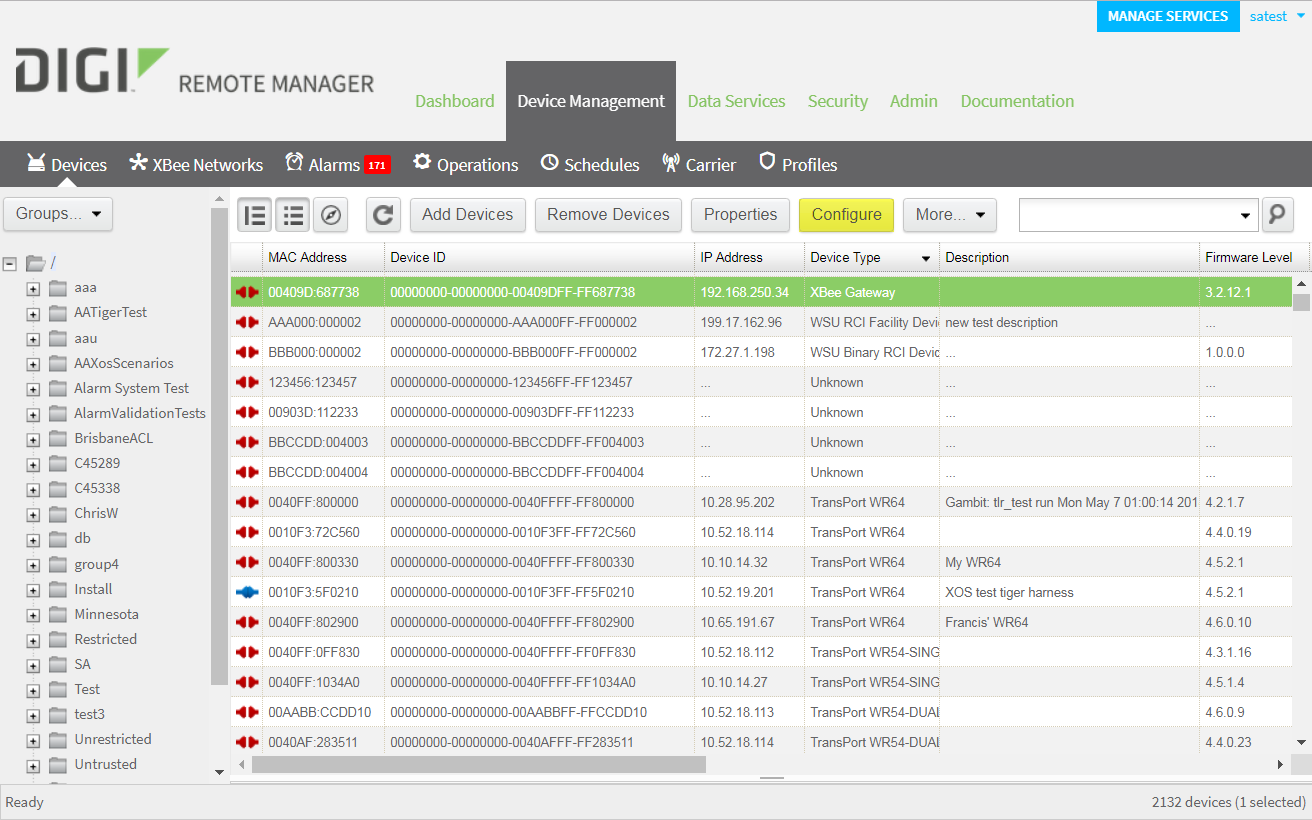
The device configuration information appears using the enhanced view.
- From a device properties view, click Edit Device Configuration:
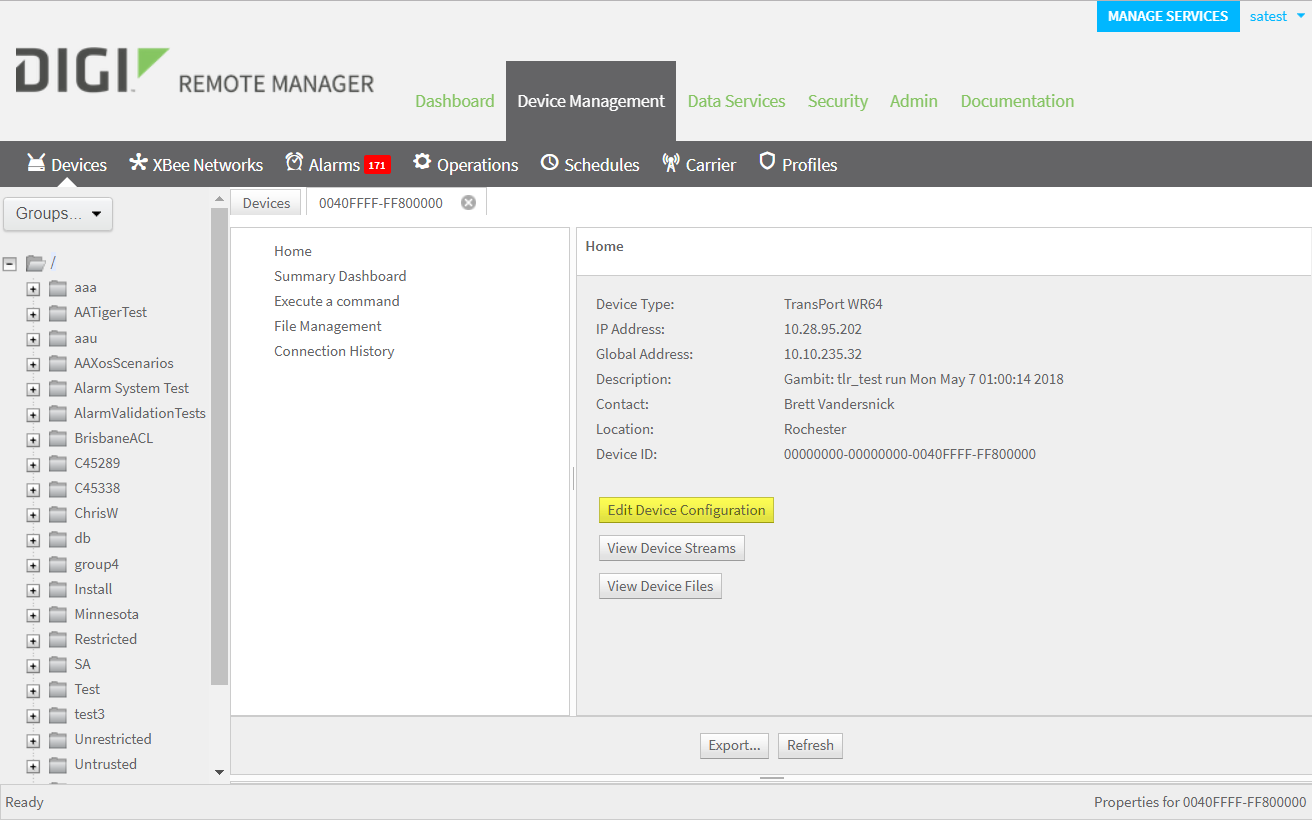
The device configuration information appears using the enhanced view.
Turn off/on enhanced device configuration
To turn off enhanced device configuration and return to the classic (pre-January 2019) view:
- Click Admin > Account Settings > Preferences.
- Under Appearance, deselect Enhanced device configuration UI.
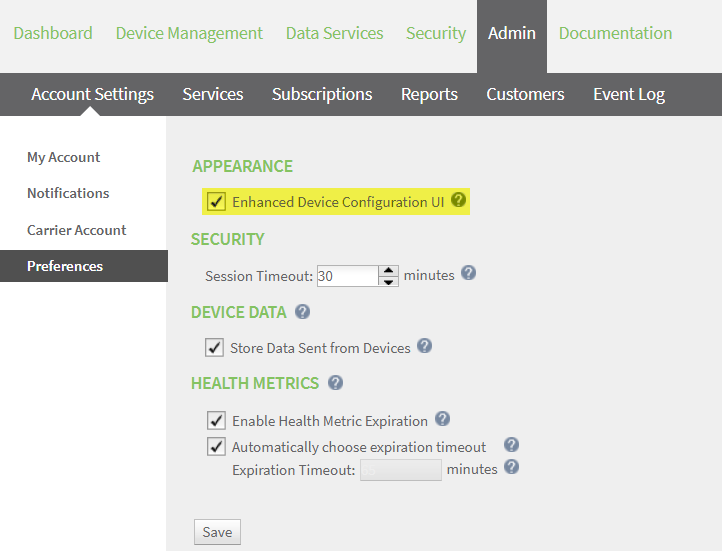
- Click Save.
 PDF
PDF


